
Creating a MailStore Server Backup
In our Technical Tips blog series, we aim to provide detailed information about selected product features to all stakeholders, customers, and partners, and show how they can be used in MailStore Server.


Blog Posts in This Series
The blog posts in this series include a video that demonstrates individual steps live, as well as some short background information on the subject. In this blog post, our Technical Support Engineer will teach you how to set up a backup function in MailStore Server.
Why Should You Create a Backup?
To give the video some context, let's take a brief look at the difference between email archiving and backups.
E-mail archiving ensures that e-mails are stored correctly, completely, and protected against tampering for many years. Archiving also ensures that the data can be quickly and easily retrieved and used.
In contrast, backup is short- to medium-term storage in the form of copies on external data storage devices. These external devices can be used to restore the data to its last saved state in case of loss or damage.
This means that backups are an additional and important measure for professional e-mail archiving.
Setting Up a Backup in MailStore Server
MailStore Server has an integrated backup function that can be set up by the administrator in a few simple steps. The administrator can define when and at what intervals the backup should be performed. This stored job also creates two additional restore files that can be used to initiate the restore process with a simple double-click.
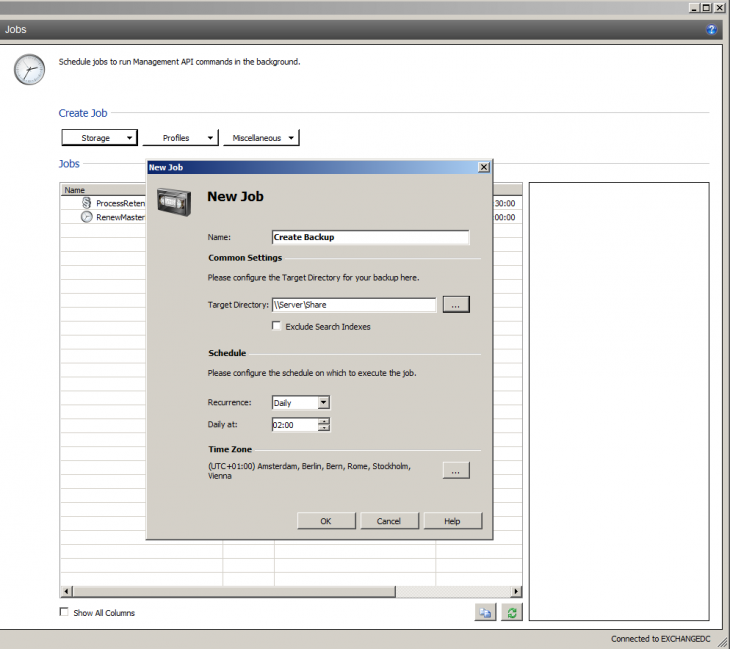
Create a backup job in MailStore Server in just a few steps
For version 11 and higher, MailStore Server also has an integrated backup warning. This warning increases users' and customers' awareness of IT security and should be seen as a request to set up a backup. In addition to the integrated backup strategy in MailStore Server, it is also possible to follow an external backup strategy. Here, it is important to pay attention to the consistency of the data in each backup method and, if necessary, activate the VSS Writer.