
MailStore V23.4 - Archiving of NDRs and Option to Delete Flagged Emails
Today we are pleased to announce a new version of our e-mail archiving software: Version 23.4 of MailStore Server, MailStore Service Provider Edition (SPE), and MailStore Home are now available. Read this blog post to learn all the details about the new features and availability of our e-mail archiving solutions.


MailStore V23.4: Archiving NDRs and Deleting Flagged Emails
Today, we are pleased to announce a new version of our email archiving software: MailStore Server 23.4, MailStore Service Provider Edition (SPE), and MailStore Home are now available. To learn all the details about the new features and availability of our email archiving solutions, read this blog article.
New Features in MailStore Version 23.4
MailStore V23.4 includes many new features that administrators and users of our email archiving solutions, MailStore Server, MailStore SPE, and MailStore Home, will be looking forward to. The detailed new features are as follows:
Archiving NDRs from an Alternative Log Mailbox
This feature helps Microsoft 365 / Exchange Online users of MailStore Server and MailStore Service Provider Edition when a MailStore Gateway is unavailable, and NDRs (Non-Delivery Reports) are sent to a failover mailbox (or an alternative log mailbox). Previously, MailStore was unable to extract the newsletter report from NDRs. By adding another archiving profile, the embedded log reports in NDRs can now be automatically transferred to your MailStore archives. This prevents tedious resubmissions and thereby increases the availability and overall reliability of your archiving solution. We recommend setting up two separate MailStore Gateways: one for the log mailbox and another as an alternative mailbox.
Deleting Flagged Emails
With this new MailStore version, it is now possible for a user to remotely delete an email from their mailbox, even if it has been flagged in Outlook. In previous versions, MailStore generally did not remove flagged emails from the email server unless they were marked as "completed." The rationale behind this policy is that flagged emails may need to be followed up by a user. However, the application shows that MailStore administrators may wish to continue removing such emails for various reasons. This option is now available for all M365 and Exchange archiving profiles, as well as for all IMAP-based archiving profiles (general IMAP; Gmail, Google Workspace, MDaemon, Icewarp, Kerio).
Enhanced Archiving Profiles
This enhancement provides administrators with more flexibility when defining archiving profiles. Usually, you may want to archive all emails or those older than a certain date, but there are situations where you need to archive only emails created after a certain date. For example, if you have an email history of more than 15 years but only want to archive emails created in the last 10 years, this is very useful. The new filter option in archiving profiles is also helpful when you want to move your archives. This feature is now available in MailStore Server, MailStore Service Provider Edition, and MailStore Home.
API Improvements
We have made improvements to the APIs of MailStore Server and MailStore Service Provider Edition to help administrators better monitor a MailStore installation (GetWorkerResultReport) and upgrade all archive stores (UpgradeStores). In addition, MailStore Server administrators can now use the API to change server certificates (SetServiceCertificate).
Other Improvements
For IMAP multi-mailbox archiving, you can now choose from various user identity formats with Simple Authentication and Security Layer (SASL). The improved automatic detection for Microsoft 365 makes archiving shared folders easier. In addition, various security updates and bug fixes are available.
Finally, we would like to inform you that Microsoft has reached the end of support for Windows Server 2012 and 2012 R2, and therefore MailStore no longer supports these operating systems. If you are still using such EOL servers, we recommend upgrading. In addition, support for Exchange Server 2003 has finally been removed.
Updated Certification: Meeting Data Privacy Requirements
As usual, the latest version of our software, MailStore Server and MailStore SPE 23.4, has been approved by an independent data privacy expert.
The certificate takes into account all relevant aspects of the European General Data Protection Regulation (GDPR) and confirms that both MailStore Server and MailStore SPE meet all requirements related to the processing of personal data as specified in the GDPR when used appropriately.
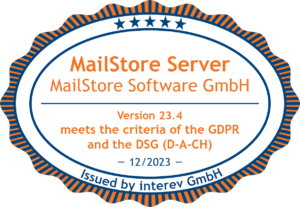
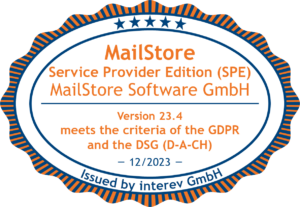
You can request a copy of the official GDPR audit certificate from info@sintel.com.tr.
Availability
You can download the new version of MailStore Server, MailStore Service Provider Edition, MailStore Home, and MailStore Gateway for free from our website here.
If your MailStore Server update and support service has expired, please contact us to purchase an upgrade that will allow you to use the latest version of MailStore Server. To learn more about the other good reasons for having an active Update and Support Service, read here.
Companies interested in MailStore Server Version 23.4 can download it as part of a free, 30-day trial version. If you are an MSP and would like to offer email archiving as a service based on MailStore SPE, please contact our sales team at info@sintel.com.tr. Alternatively, you can now sign up for free as an authorized MailStore Partner here.