
Why is MailStore Server a good fit to run alongside Office 365 / Microsoft 365?
Microsoft Office 365 is on the rise, and the number of business users is increasing every day. At MailStore, we have noticed that an ever-increasing number of customers are switching to the cloud-based application of the tech giant from Redmond, USA. This trend is also supported by the information that support for Exchange Server 2010, Windows Server 2008, and Windows Small Business Server 2011 will end in 2020. However, customers who use MailStore along with other on-premises email servers are also wondering whether our MailStore Server solution can be used with Office 365. The simple answer is a resounding "yes, it can!" You can run MailStore Server with Office 365 and continue to take advantage of all the advantages our software provides in terms of email archiving within a professional email management system! And there are other aspects that make continuing to use MailStore Server valuable.



Use Your Most Valuable Resource - Time - Easily!
One of the things a company needs when moving to Microsoft Office 365 is time! – a cloud solution doesn't work "out of the box"; the transition requires time and effort. Then, there is the additional time required to set up an email archiving system under Office 365 – a time that any IT manager would prefer to invest in daily tasks. And finally, we believe that companies should not mortgage their new systems with old data, and therefore we always recommend our customers to archive emails rather than migrate them.
You're Already Using a Legally Compliant Archiving System with Your Retention Policies – So Why Change?
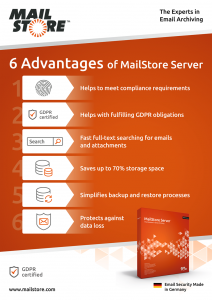
No matter what your email system is, MailStore Server offers you these advantages.
The difficulties faced by an internal IT department of a company are numerous and varied, and include not only the growing threat scenario, but also the situation known as shadow IT. Being aware of the need to overcome all these difficulties, it's worth asking whether it makes sense to spend time changing to a fully functional email archiving solution where retention policies and privileges are already defined and implemented; the old saying "never change a working system" immediately comes to mind. And we should not forget the users who are very happy to continue using proven features such as Quick Search or Advanced Search in MailStore Server, or the Outlook Add-In.
Therefore, our recommendation to close this blog post is: If you are planning to move to Microsoft Office 365, stay with MailStore Server, which helps you continue archiving your emails in a legally compliant manner. This means that you can focus on the technical aspects of the transition while maintaining a pre-configured email archiving system that helps meet compliance requirements Business Email and Regulatory Compliance – What You Need to Know; Moreover, your staff can continue to work in their usual working environments. Therefore, there is really no need to move archived data.
"We were looking for a solution that would complete Microsoft Office 365. MailStore Server allows us to centrally archive all our emails in a Windows environment. Using access rights and encryption, we can prevent archived emails from being accidentally or intentionally deleted." Marian Hampl, IT Manager at FIPP, a Czech real estate development company
In one of our Technical Tips, we show how you can archive emails using our free add-on program MailStore Gateway between MailStore Server and Microsoft Office 365. In this scenario, you don't need an additional external mailbox to set up a daily archiving solution where emails are archived as they are received or sent and then copied to the daily mailbox via a rule configured by the IT administrator in Office 365.
Learn more about MailStore Gateway and how to find the right archiving strategy for your company's needs. You can find more information by visiting our MailStore Server Help.
Tip: For current MailStore Server users, there is a step-by-step guide showing how to change archiving from Microsoft Exchange Server to Microsoft 365 here.
And of course, if any problems arise during the technical implementation phase, our support, which is part of our Update and Support Services, can answer questions in individual scenarios.
Source: Migrate to Microsoft 365, but store your email archive with MailStore