
Email Archiving - A General Overview for IT Decision Makers
Why Should You Archive Emails? A Guide for IT Administrators and System Administrators Email is not just an important digital communication tool, but also a comprehensive and valuable information resource for companies. However, managing this resource can be challenging. As a rule, data sent via email is generally not stored in a separate location, but rather found in employees' inboxes, which can lead to fragmented data silos that grow daily and consist of years of accumulated information. Preserving this information over time can play a crucial role in enabling efficient use by colleagues, and thus significantly contribute to a company's success.


Email Archiving – A General Overview for IT Decision Makers
Why Should You Archive Emails? A Guide for IT Managers
Email is not just an important digital communication tool, but also a comprehensive and valuable information source for companies. However, managing this resource can be challenging. Usually, data sent via email is not stored in a separate location but found in employees' mailboxes, leading to fragmented data silos that grow daily and contain years of accumulated information. Preserving this information for efficient use by colleagues over time can play a significant role in the success of a company.
This guide is aimed at IT professionals who want to get a general overview of email archiving. In this article, you will learn
- why email archiving should be part of a comprehensive IT strategy,
- how the right software can reduce the workload of your IT department,
- the differences between archiving and backing up data, and
- what additional benefits email archiving can provide for your business beyond IT.
What are the Challenges of Email Management?
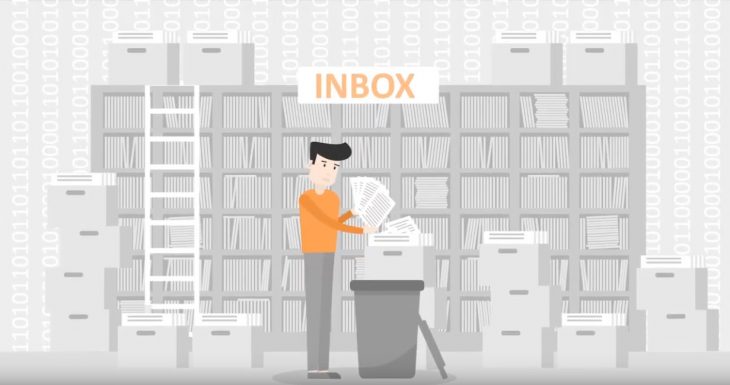
Most companies have excellent email servers or groupware solutions for email communication. However, these systems were never designed to store and provide large volumes of data over long periods, which can lead to technical, legal, and financial issues:
- Depending on the country and industry, emails may be subject to various legal and regulatory requirements that require them to be stored for a certain period. Usually, sectors that send and receive large volumes of sensitive personal data are subject to stricter regulations. These include the healthcare sector and the financial sector, as well as public authorities and educational institutions.
- In the event of a legal dispute (e.g., when emails are used as evidence) or when data subjects invoke their rights under the EU General Data Protection Regulation (right to erasure/access to data, right to restrict processing, etc.), a company's management or legal/compliance team should be in a position to efficiently search for and retrieve data from the entire email stock.
- To effectively use this communication resource, users should always have easy and quick access to all their emails. Usually, only a professional email archiving solution can meet this need. The self-service aspect (users can perform archive searches themselves to retrieve individual emails) significantly reduces the workload of the IT department (especially help desk), although not all archiving solutions offer this feature.
- The increase in email traffic and stricter regulations in many markets in recent years (e.g., GDPR in the EU and CCPA in California) recommend that all IT decision-makers proactively address email archiving. A comprehensive email management concept should include the professional archiving of relevant emails as a fundamental part. Without an archiving solution, it will be difficult, although not impossible, for management to enforce email management policies issued by the IT department within their systems. These guidelines may include storage policies for certain emails, centralized archiving of distributed emails (e.g., local PST files, emails only found in email clients), and the ability to restore past emails.
How Does Email Archiving Work?
An email archive complements an existing email system (and, of course, can continue to be used as before). The administrator configures which emails are transferred to the archive and when, and whether emails are deleted from the email server's mailboxes after archiving. Ideally, the archive should be able to efficiently manage large volumes of data.
Our product, MailStore Server, also provides users with direct access to the archive. Users can view their emails, including file attachments, and retrieve these data quickly and efficiently via a powerful full-text search function without the help of IT staff. This provides all users in the company with a quick and easy way to access their archived emails.
What Does This Mean for the IT Department of a Small and Medium-Sized Business (SMB)?
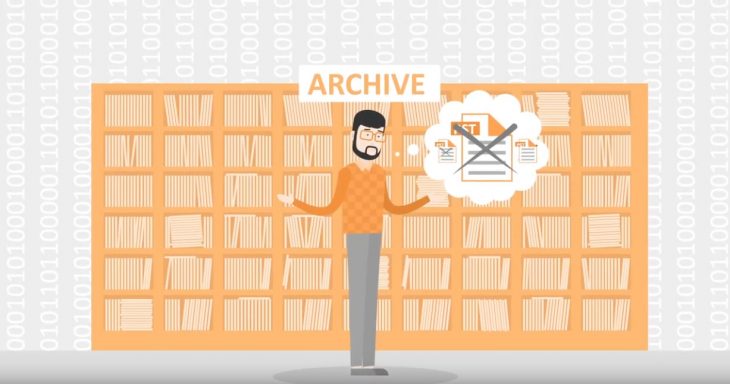
IT decision-makers are facing increasing pressure due to the growing data wave. The time and resources needed to ensure that these data remain secure, retrievable, and permanently available are increasing every day.
Email archiving can significantly reduce this pressure:
- The option to delete emails from the server as soon as they are archived eliminates the need to talk about the workload and associated operating costs of the email server, helping reduce storage requirements.
- The risk of losing emails is minimized. Even regular backups of the email server (e.g., using incremental backups) cannot completely eliminate this risk. Important: Archives should also always be backed up!
- Since emails can be deleted from the server as soon as they are archived, mailbox quotas become irrelevant, meaning that the volume of data on the email server can remain at a low level.
- Archiving reduces the complexity of backups and restores. Keeping the volume of data on the email server low means that the backup process is faster and requires less storage space, allowing you to restore your email server from backups much faster in the event of a disaster.
- Administrators can centrally collect and easily archive emails that are stored in a decentralized manner. This helps prevent problems caused by distributed PST files and emails.
- If you manage your emails via a cloud service provider or IT service provider, using a separate email archiving solution will give you independence. If the email service fails (or if you need to migrate after changing providers), it will be much easier for the IT team to get the system back up and running.
- If the archiving tool provides a self-service search-and-retrieval function, your IT department will no longer need to spend time and effort retrieving emails from old backups. An average user can access their archive anytime they want without help.
We Already Have a Backup Solution – Why Do We Need Archiving as Well?
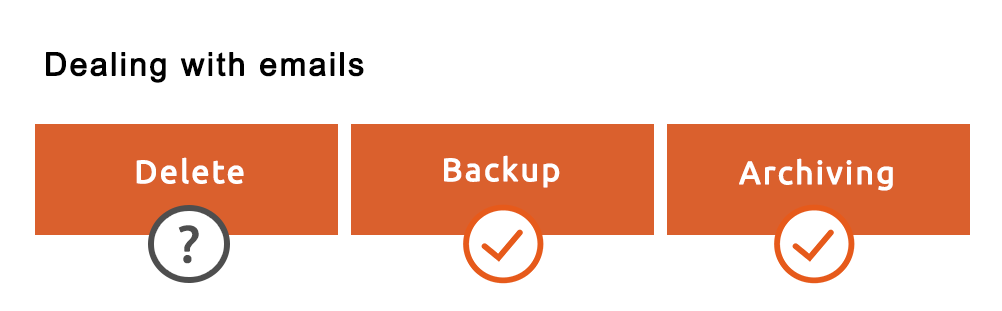
Company emails should never be deleted. Archiving emails is important to ensure that the information they contain is always accessible. However, the archive itself should be part of your backup plan and protected against system failures!
"We already back up the data on our email servers. There's no need to archive them separately." This viewpoint taken by IT managers carries a significant risk because backups do not replace a professional email archive.
Backups and archiving are both fundamental elements of any security-conscious company, but they pursue different objectives (see the table below):
Objective
Email Backups Email Archiving
Remove mailbox quotas


Remove PST files

Reduce storage requirements through deduplication and compression

Reduce the workload of email servers and simplify backup and restore procedures
Provide secure, tamper-proof, and long-term email storage
Help comply with regulatory requirements
Help with eDiscovery scenarios
Enable fast searching via full-text indexing of emails
Allow end users to quickly and easily retrieve lost emails
Fully valid
Partially valid
Somewhat valid
Less relevant

Not applicable
These ratings are based on the basic concepts of backups and email archiving. The functionalities of an email archiving solution discussed here are based on the features provided by MailStore Server. The functionalities of backup and email archiving solutions can vary depending on the vendor.
Does Email Archiving Help to Comply with GDPR Requirements?
The General Data Protection Regulation (GDPR) of the European Union aims to enhance data privacy laws in Europe. Therefore, companies must ensure that personal data is processed in compliance with GDPR requirements across different sectors. Violations can result in fines up to €20 million or up to 4% of the company's global annual turnover, whichever is higher.
Complying with the data privacy rules outlined in GDPR is a significant organizational challenge. Email archiving tools can help businesses meet various basic requirements of the EU regulation. Even companies outside the EU should be familiar with GDPR if they plan to process personal data of EU citizens during their daily operations.
Our own software, MailStore Server, can help you comply with the following GDPR articles:
- Right of access (GDPR Article 15): The strong search functionality in our archiving solution allows for quick finding and exporting of emails and file attachments related to a particular customer or employee. Companies can be in a position to provide information to third parties when needed.
- Right to erasure (GDPR Article 17): Personal documents containing personal data should be stored securely and protected against deletion or manipulation for the duration of legal or regulatory retention periods. MailStore Server provides functionalities that support deletion / retention management and allow you to comply with GDPR requirements.
- Right to data portability (GDPR Article 20): Data subjects have the right to request that any personal data relating to them be disclosed in a structured, commonly used, and machine-readable format and to have this data transferred to another "controller." MailStore Server supports the right to data portability by providing an export function that supports all common email formats (EML, MSG, PST).
- Right to object (GDPR Article 21): GDPR requires a company to show that it has obtained the data subject's consent to process their personal data. The data subject can also withdraw this consent. Since MailStore Server is an email archiving tool, the consent and withdrawal expressed via email are copied to the email archive as part of an upstream system (e.g., an online store, email marketing system, etc.) - for example, email marketing or customer prospect management systems.
Data processing in accordance with regulations and transparency are fundamental requirements when complying with GDPR from the collection and storage of data to their deletion. Therefore, using strong email archiving software is an important step towards GDPR compliance.
Benefits of Email Archiving for Business Beyond IT
As mentioned earlier, email archiving is an important component of a company's IT strategy and information management policy. However, it can be difficult to convince non-IT departments and decision-makers of the advantages of a new software application - as shown below, email archiving can provide benefits in all areas of a company.
Protection Against Data Loss
Employees may accidentally or even maliciously delete important emails. Scenarios where an employee deletes their entire mailbox content upon leaving the company are particularly serious. Around the world, critical data is lost in this way every day. However, with the help of an email archiving solution, all incoming and outgoing email traffic can be fully archived, enabling emails to be archived before they reach the user and preventing data loss.
Helps with Email Compliance
Email archiving can support compliance with legal and regulatory requirements that are usually the responsibility of company management. Failure to comply with archiving duties can lead to financial penalties and, in some cases, lawsuits under civil law.
For this reason, it makes sense for most companies to fully archive all relevant emails and file attachments in a tamper-proof, permanently accessible, and retrievable format. Email archiving effectively performs this task while also making it easier for emails to be used as evidence in court. The EU eIDAS regulation strengthens the probative value of electronic documents in EU judicial proceedings. In the US, the use of emails as evidence in court is not an unusual situation. Here, they usually form the basis for complex e-Discovery processes to locate and protect specific pieces of information. Therefore, a company should be in a position to search through the entire email stock in case of an e-Discovery scenario and ensure that data can be exported in a standard format when needed.
An anecdote told by an IT manager from one of our customers illustrates the value of email archiving in this context: "My former employer got involved in a legal dispute and there was no email archiving solution. The evidence focused mainly on emails written by about a dozen employees. I spent almost six months of my life collecting, indexing, and checking PST files. It was a bitter experience, and I vowed it would never happen again."
Reduce IT Costs and Efforts
Email archiving can reduce the costs and efforts of email management in a company's IT department. Storage requirements can be significantly reduced by replacing emails on email servers. At the same time, the IT department is relieved of the tedious task of retrieving specific emails from backups or email servers in response to a user request. IT professionals can invest the freed-up capacity into more important projects.
Gain Independence from Software Vendors and Service Providers
A critical aspect of backing up email servers is the time required to restore data in case of a loss. In the worst-case scenario, a company may be unable to access critical information contained in emails for several hours or even days. An archive can completely solve this problem for critical emails. If your email server is down or data is lost, the archived emails will be ideally available for search and recovery operations. Business operations continue without interruption.
Many companies prefer to store emails outside of the company (i.e., under the direct control of your IT department) using a public cloud provider (e.g., Microsoft 36 or Google Workspace) or managed service provider's external servers. This requires a certain degree of trust in the existing technical backup mechanisms and the continuous availability of these services.
IT decision-makers should generally be aware that large public cloud providers only guarantee the availability of their own infrastructure - that is, the responsibility for protecting and preserving customer data lies with the customer. This applies equally to backups and archiving. Archiving these data outside of the provider's systems is a simple additional security measure.
In addition, MailStore Server users are also independent of us, the vendor of the archiving solution! This way, emails can be exported from the archive in a standard format at any time.
Increase User Productivity in Everyday Business

Ensuring that emails, as a critical information source, are quickly and comprehensively accessible can help increase a company's productivity. For example, with MailStore Server, the self-service feature provides users with various ways to access the archive (e.g., integration with Microsoft Outlook or platform-independent Web Access), while a fast full-text search function enables emails to be found and then retrieved. In the meantime, your IT help desk is free to deal with more important tasks.
In addition, deploying an archiving tool eliminates the need for mailbox quotas. Instead of spending valuable time organizing emails or filtering out insignificant emails, users can access their emails anytime they want (even while on the go with Web Access).
Quick Return on Investment
Using an email archiving solution for emails can reduce the workload of the IT department and significantly reduce storage costs. Usually, the solution will pay for itself in a short time. Companies can also reduce their exposure to financial risks arising from data loss or legal disputes.
Checklist: How to Find the Right Email Archiving Solution?
Whether it's raised by management or compliance officers, when choosing an email archiving software, you can be sure that different areas of interest will emerge. Therefore, it is important to consider a few key criteria when looking for an appropriate tool.
- Flexible storage management: Choosing an archiving software that uses methods such as deduplication and compression can help reduce storage requirements by up to 70%. Flexible storage management also means that existing emails can be stored in fast, expensive storage environments; a good system always moves older, less accessed emails to slower, cheaper storage.
- Easy installation and maintenance: A simple installation makes the software easier to install, while intuitive usability ensures that archiving can be set up quickly. If all required components such as database systems are already integrated, this saves time, reduces costs, and reduces administrative effort.
- Archiving existing emails: When you deploy the new software in your company, there should be no problem archiving existing emails stored individually in mailboxes, shared folders, and shared mailboxes as well as email files.
- User-friendly: Users should be able to access archived emails just as they always have, via Microsoft Outlook, through a browser, or even on a tablet or smartphone while on the go.
- Self-service for users: Not all archiving solutions allow employees to access their email volumes on their own. However, if the new solution allows users to work efficiently within the archive, the workload of the IT department can be significantly reduced.
- Certification: For many companies, it is important that the software operates according to GDPR compliance standards and has the appropriate certification when needed.
- Flexibility: The archiving software should support all traditional email systems and archiving methods. Ideally, it should also be possible to implement customized application scenarios via an integrated API.
- Fit for purpose: Your archiving tool should be suitable for the size and needs of your business. For example, it is rare for a small or medium-sized company to need a large corporate solution rather than a software that is tailored in terms of functional scope and total cost of ownership (TCO).
You need an email archiving solution that meets the needs of your entire organization, from management and IT departments down to end users. Creating a requirements list that defines all legal, financial, and technical criteria you need to meet is a good idea.
Free PDF Download
Download our free "Email Archiving - A General Overview for IT Decision Makers" guide in PDF format now, which contains all the content of this article.
Tips for Further Reading
On our website, you will find many other blog articles, including technical reviews and guides, that can help you better understand email archiving. Here is a small selection:
- Rebecca Rommelrath, in her blog post "Make your email archive accessible to remote workers," explains how MailStore Server allows you to create an email archive for remote employees.
- Our guide "Email Archiving and the EU General Data Protection Regulation" explains the role email archiving plays in helping you comply with the GDPR.
- PricewaterhouseCoopers, in its technical review "Advantages of third-party email archiving for businesses using Office 365," explains how small and medium